

Hi there! How can we help you today?
Live Chat Plugin for Botble CMS
Live Chat for Botble CMS
Add a floating chat widget to your website. Engage visitors in real-time from a messenger-style admin panel.
Try Demo Chat Floating chat widget Messenger-style admin panel Webhooks & notifications Agent portal & auto-assign
Live Chat Dashboard
24
Conversations
5
Online Now
OnlineJohn Doe2 min ago
WaitingJane Smith5 min ago
NewAlice Johnsonjust now
How Live Chat Works
A simple 4-step process for your visitors
Step 1
Visitor Opens Chat
Visitor clicks the floating chat button and fills in their name to start a conversation.
Step 2
Send Messages
Visitor types messages in the chat widget. URLs are auto-linked.
Step 3
Agent Responds
Assigned agents see conversations in their portal and reply in real-time. Auto-assign distributes new chats.
Step 4
Get Notified
Browser notifications, email alerts, and webhooks keep your team informed.
Try It Yourself
Experience the complete live chat flow
1Step 1
Open the chat widget by clicking the floating button in the bottom-right corner.
2Step 2
Enter your name and start a conversation.
3Step 3
Send messages — try sending a URL to see auto-linking.
4Step 4
Go to Admin Panel → Live Chat → Conversations to see the messenger.
5Step 5
Login to Agent Portal at /agent/login ([email protected] / 12345678).
6Step 6
Join a conversation, reply from the agent portal, and manage your profile.
Key Features
Real-time Messaging
Instant message delivery with configurable polling interval.
Webhook Integrations
Connect to Slack, Discord, n8n, Zapier with HMAC-SHA256 signing.
Working Hours
Auto online/offline based on schedule and timezone.
Notifications
Browser popups with sound and email alerts for new conversations.
Agent Portal
Separate agent dashboard with messenger, profile, and auto-assign.
Admin PanelURL: /admin — Login: admin / 12345678
Agent PortalURL: /agent/login — Login: [email protected] / 12345678
Screenshots
See the Live Chat plugin in action
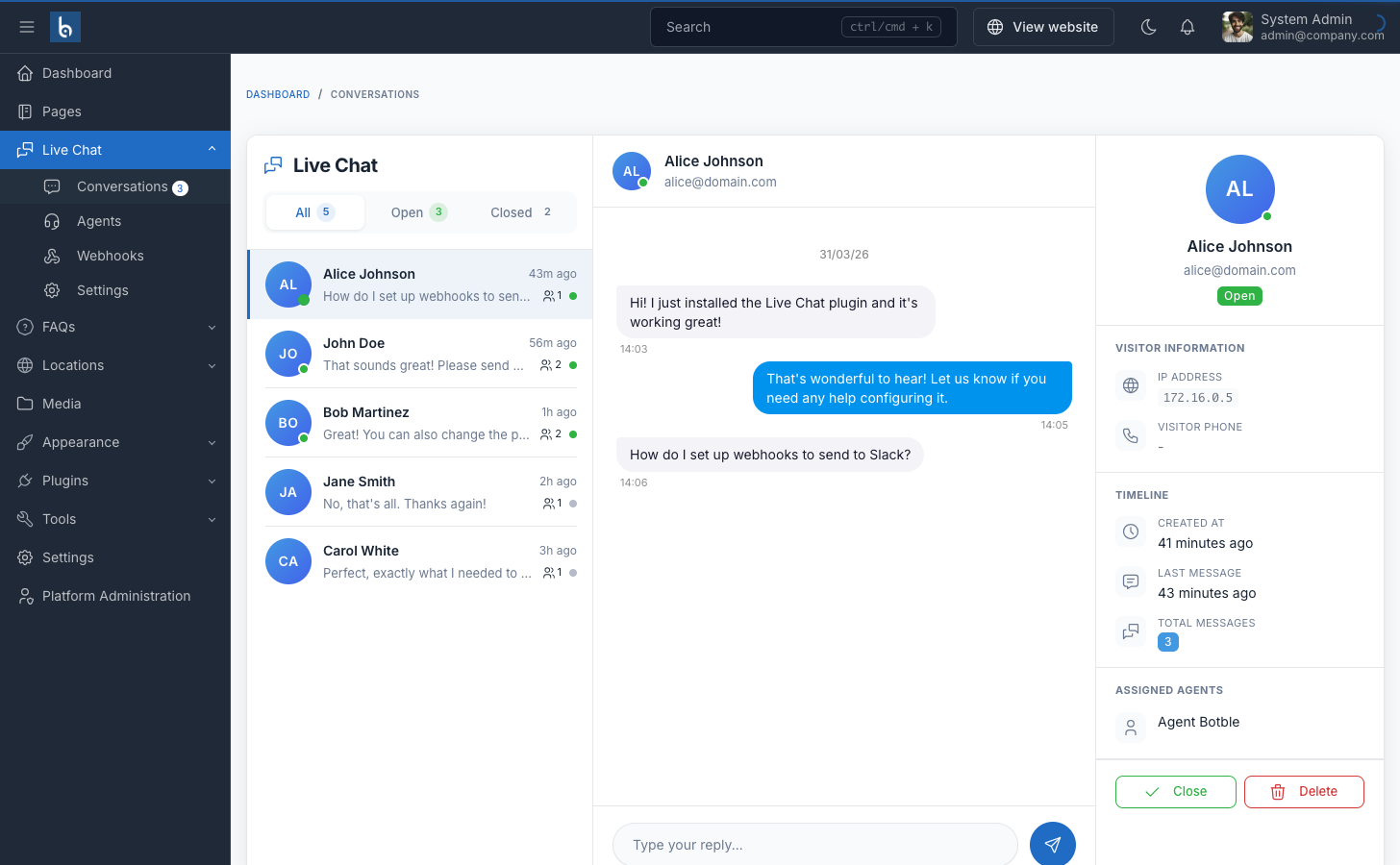
Admin Conversations
Messenger-style three-panel layout: conversation list, chat area, and visitor information.
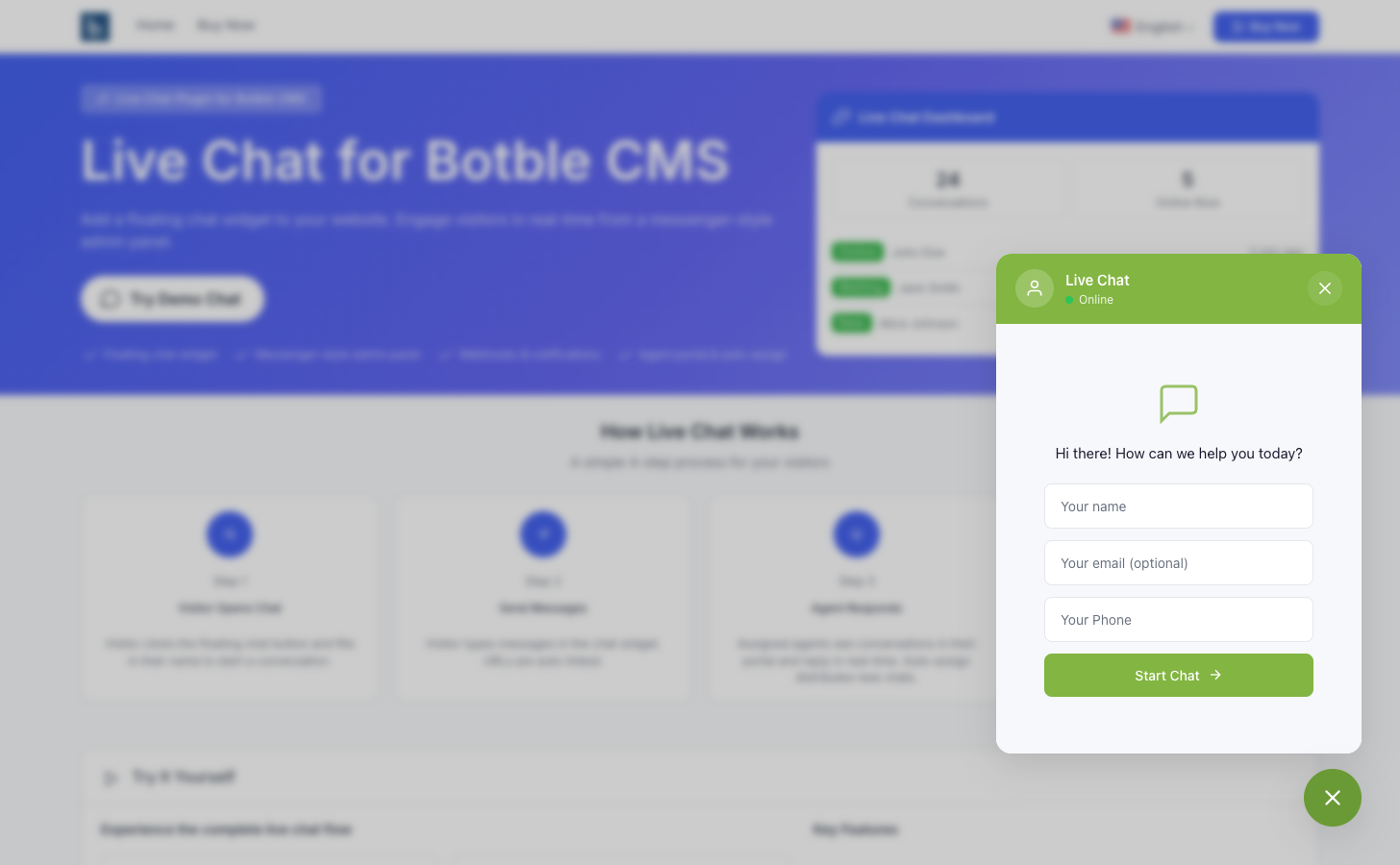
Chat Widget
The floating chat widget visitors see on your website. Fully customizable colors and position.
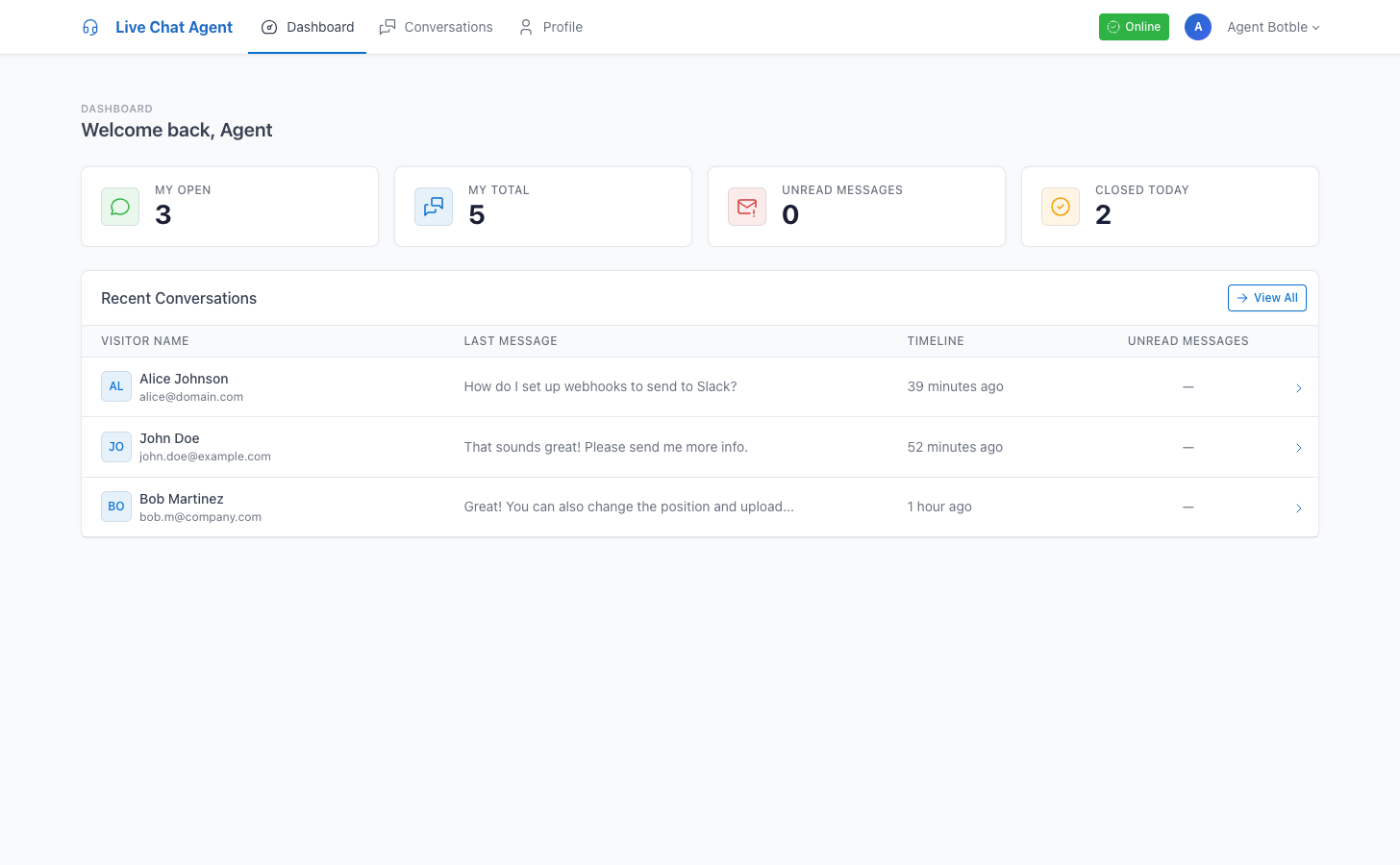
Agent Dashboard
Agent portal with stats, recent conversations, and availability toggle.
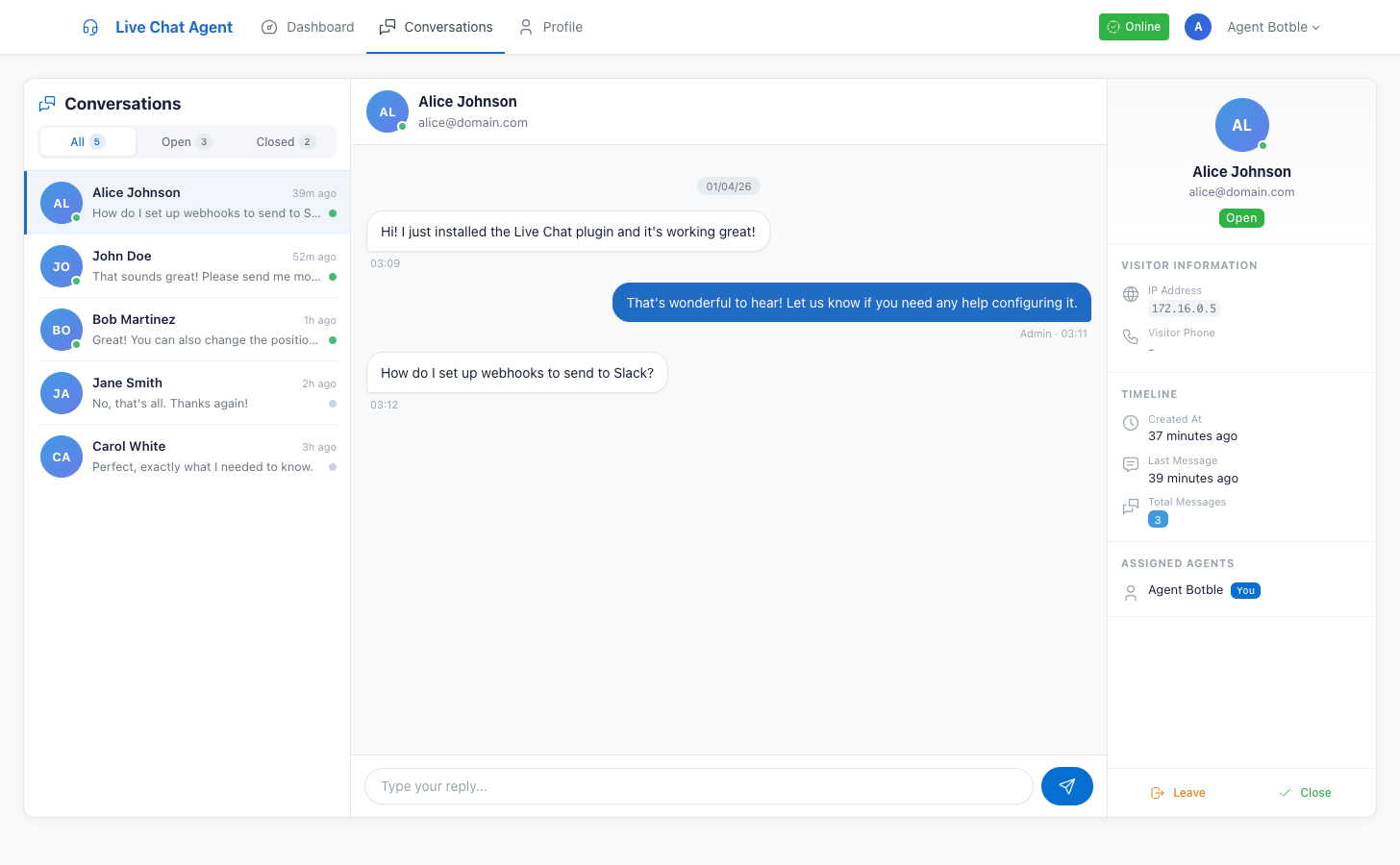
Agent Messenger
Three-panel messenger for agents with join/leave, reply, and close actions.
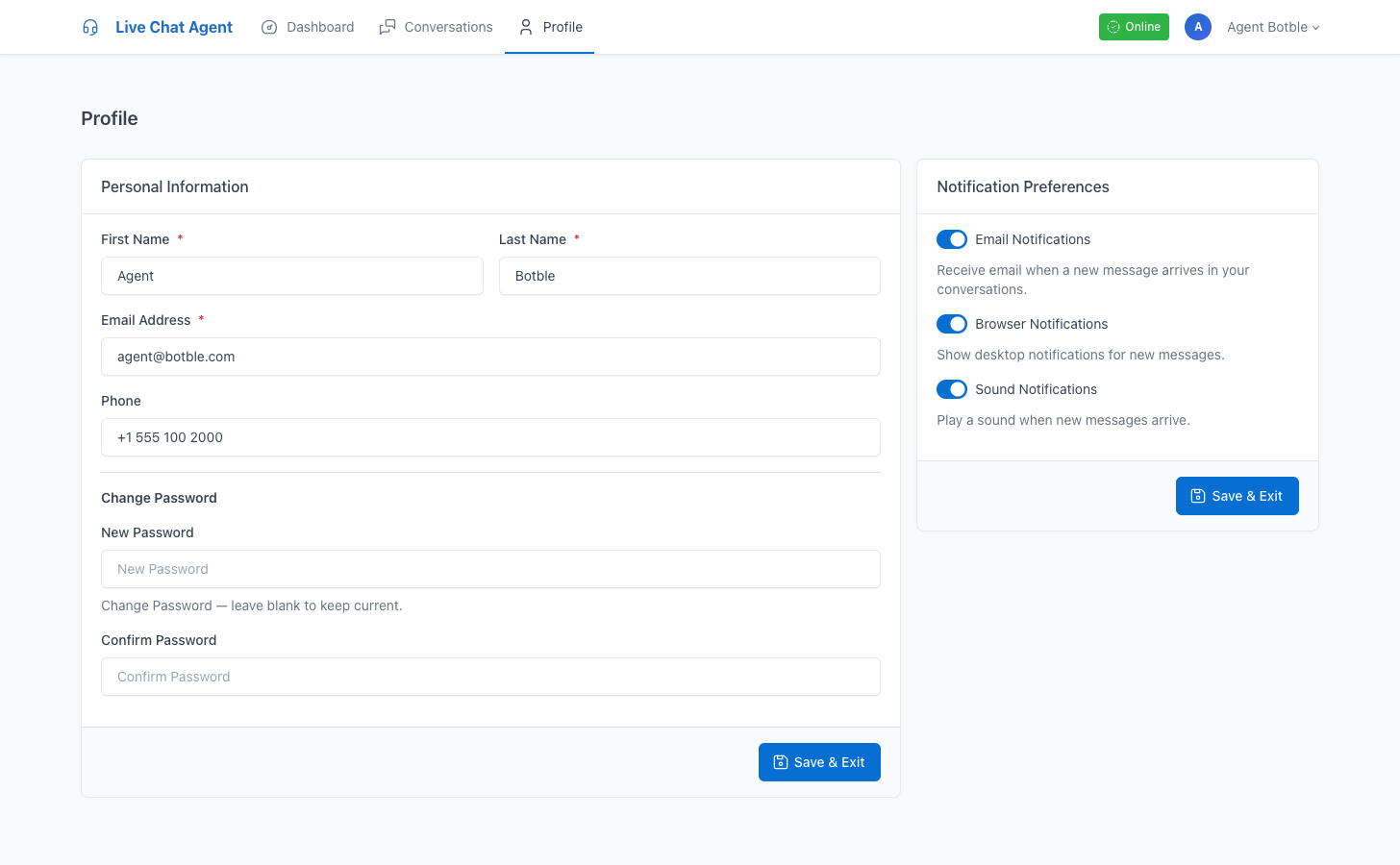
Agent Profile
Agent profile settings with notification preferences for email, browser, and sound.
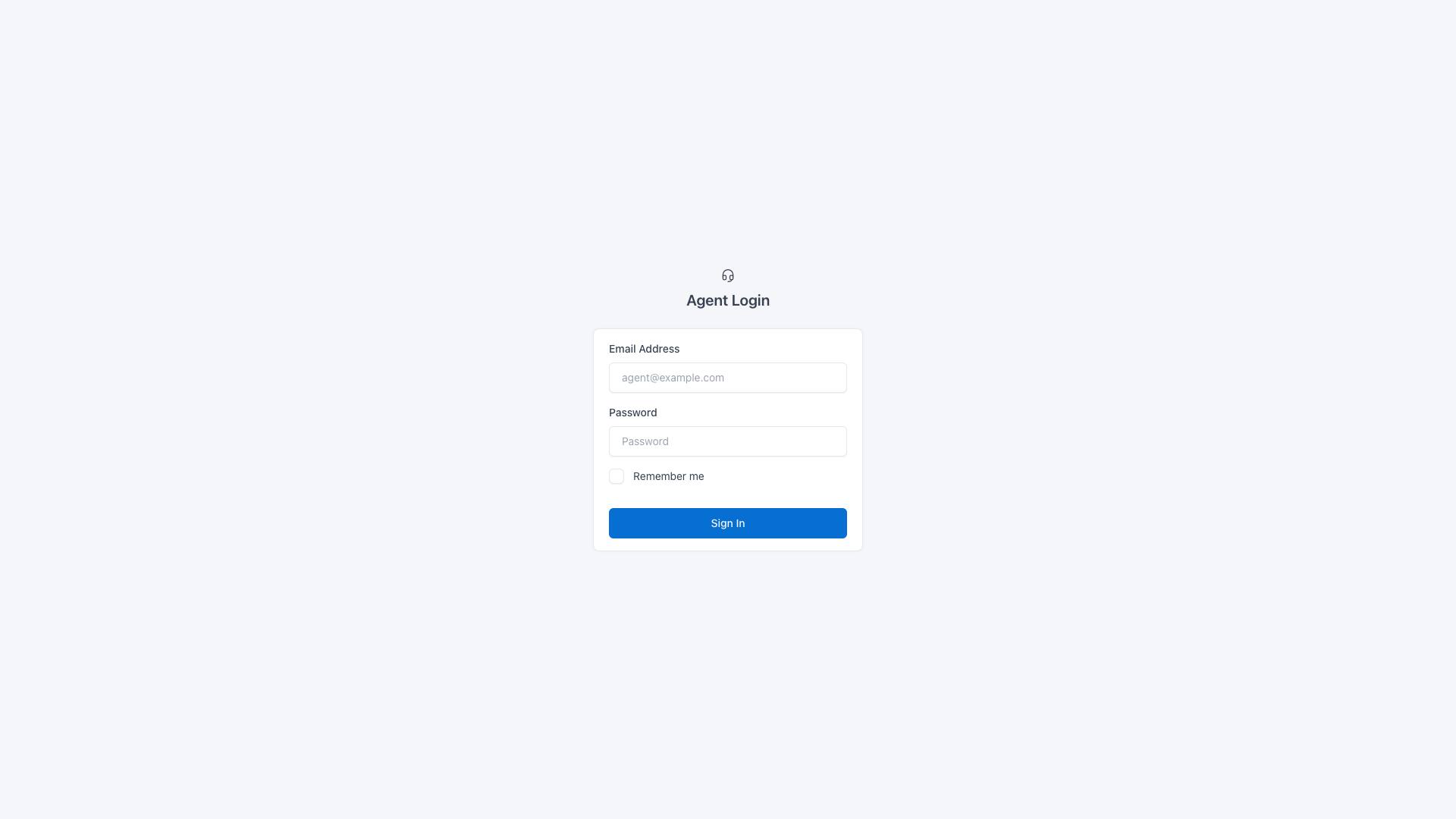
Agent Login
Separate agent login page at /agent/login with dedicated authentication.
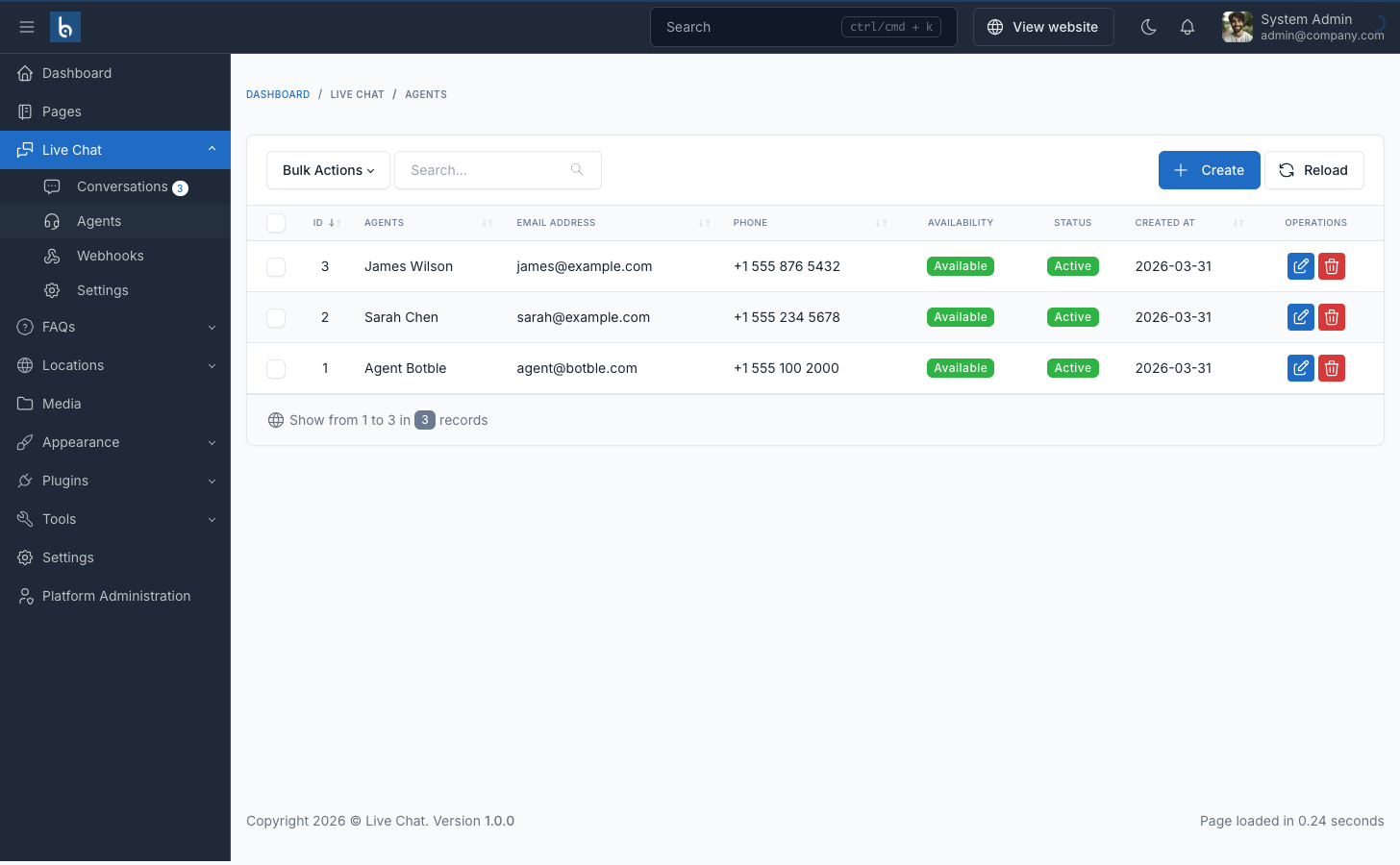
Agent Management
Admin panel to create, edit, and manage chat agents with availability status.
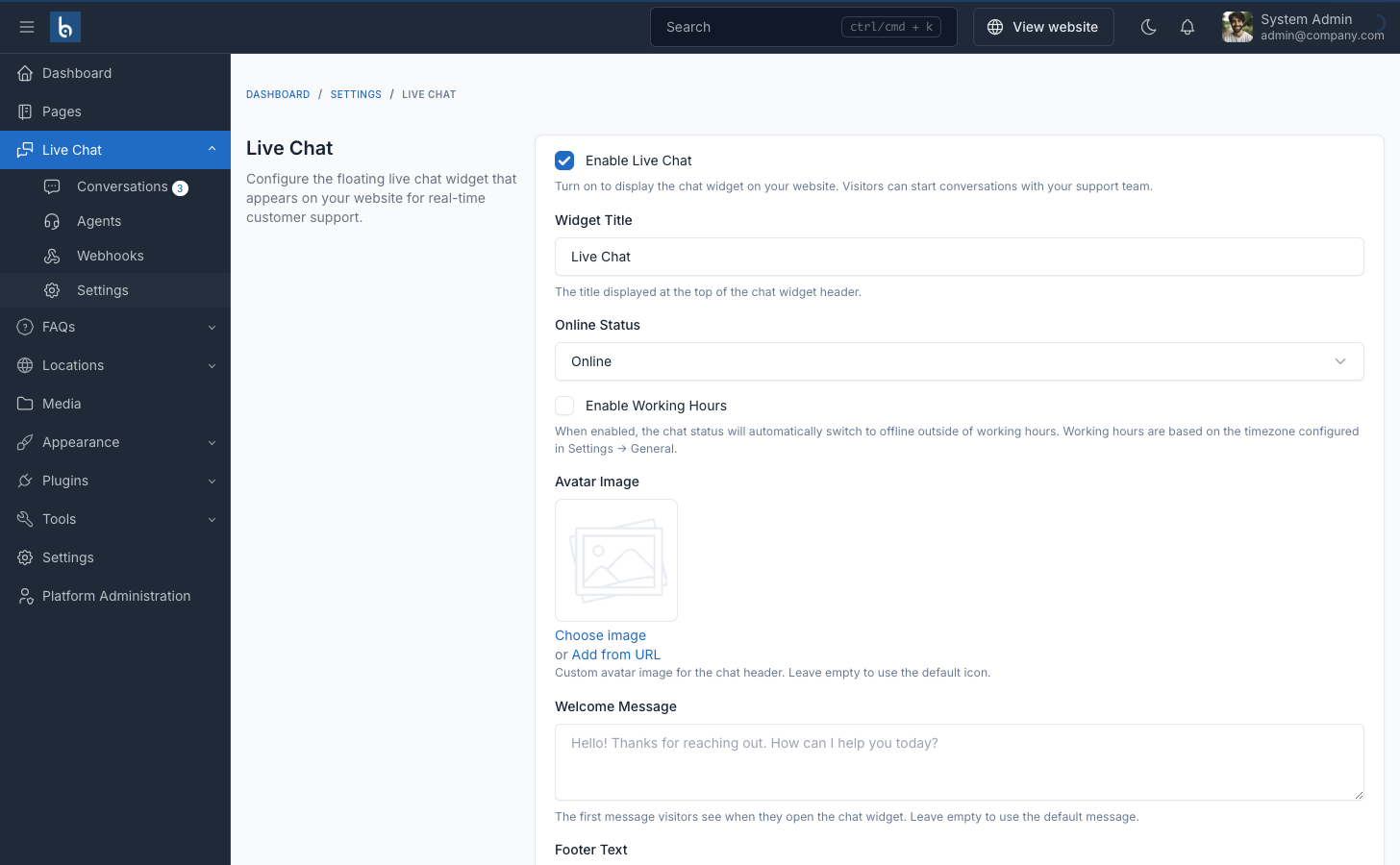
Settings
Configure widget appearance, working hours, auto-assign, and notifications.
Webhooks
Manage webhook integrations for Slack, Discord, n8n, Zapier, and more.
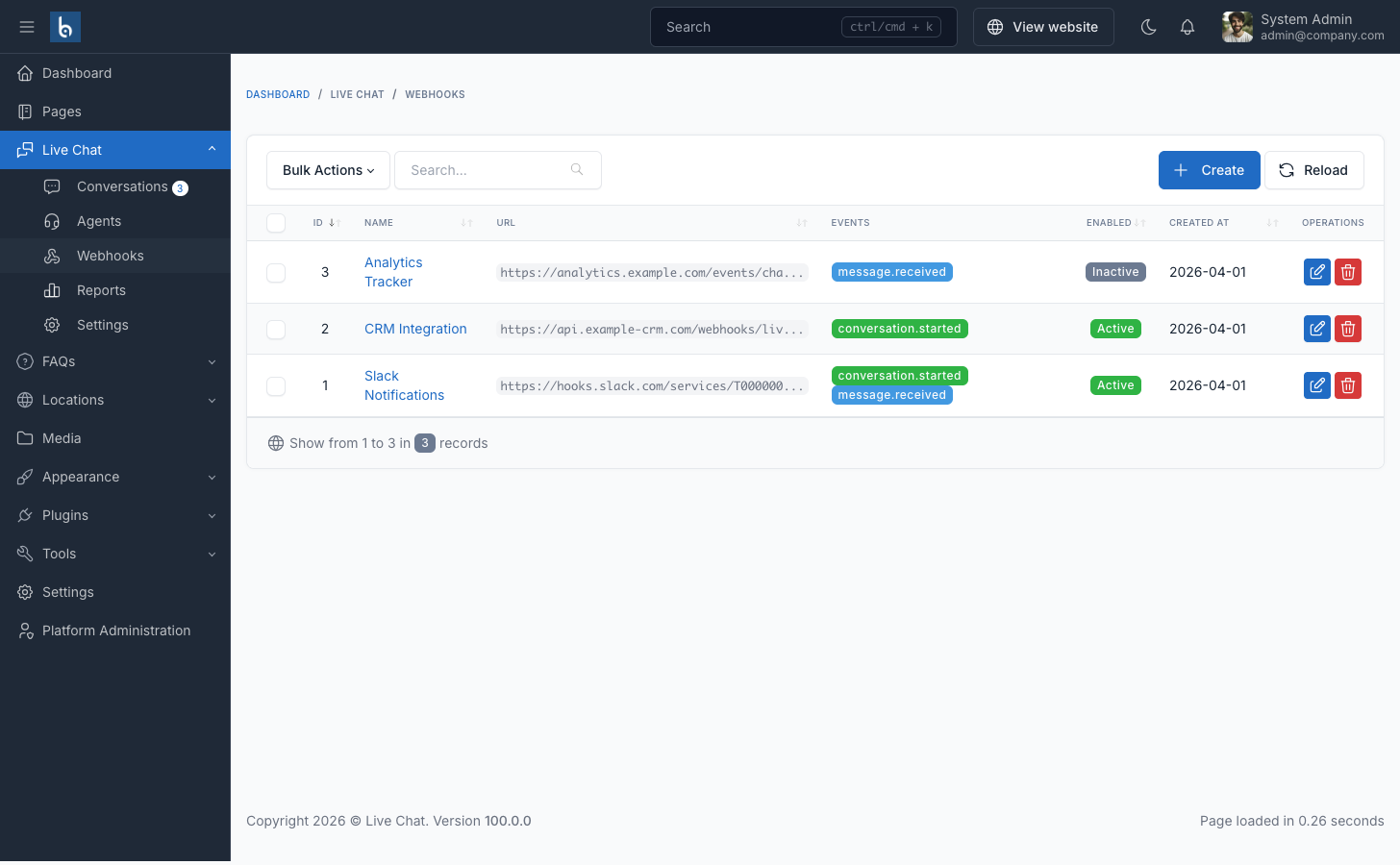
Plugin Features
Everything you need to add real-time live chat to your Botble CMS website
Real-time Messaging
Instant message delivery with configurable polling. Visitors chat from a floating widget.
Messenger Admin UI
Three-panel layout with conversation list, chat area, and visitor information.
Webhook Integrations
Connect to Slack, Discord, n8n, Zapier. HMAC-SHA256 payload signing.
Working Hours
Auto online/offline based on schedule, working days, and timezone.
Customizable Widget
Colors, position, avatar, title, welcome message, and mobile visibility.
Email & Browser Notifications
Desktop popups with sound. Email alerts for new conversations.
Agent Portal
Dedicated agent dashboard with stats, messenger, profile. Separate login at /agent.
Auto-assign
Round-robin auto-assignment of available agents to new conversations.
Agent Notifications
Per-agent email, browser, and sound notification preferences.
Easy Install
Activate the plugin and the chat widget appears automatically on your site.
Multi-language
Available in 8+ languages including English, French, Vietnamese, Arabic.
Any CMS Theme
Works with all Botble CMS themes.
Frequently asked questions
Live Chat is a floating chat widget plugin for Botble CMS. It adds a chat button to your website that visitors can click to start a real-time conversation with you. You manage all conversations from a messenger-style admin panel.
Visitors click the floating chat button on your site, enter their name, and start typing messages. You receive browser notifications and email alerts for new conversations. Reply from the admin panel and your messages appear instantly in the visitor's chat widget.
Yes. You can customize the widget colors, position (bottom-left or bottom-right), avatar image, title, welcome message, and whether to show or hide it on mobile devices — all from the Live Chat settings page in your admin panel.
Create webhooks in the admin panel under Live Chat → Webhooks. Enter a URL endpoint and an optional secret key. When a new conversation starts or a message arrives, the plugin sends a signed POST request to your URL. Supports Slack, Discord, n8n, Zapier, and any custom HTTP endpoint. Payloads are signed with HMAC-SHA256.
Yes. You can configure working days, start and end times, and timezone in the plugin settings. Outside of working hours the widget automatically switches to an offline state. You can also manually toggle online/offline status from the admin panel.
The plugin supports browser desktop notifications (with sound) when a new message arrives in the admin panel, and email notifications to alert your team about new conversations. You can also set up webhooks to send events to Slack, Discord, or any other service.
Get Live Chat for Your Website
Purchase on CodeCanyon and start chatting with your visitors today.
Free lifetime updates
Premium support
Clean source code
Full documentation
This page for demo purposes only, it's not included in the download package. We are selling Live Chat plugin only.